custom CMS vs open source CMS

Custom CMS vs Open-Source CMS: Which Is Better for Your Business?

Compare custom and open-source CMS options by cost, control, security, maintenance, workflows, integrations and long-term business fit.

CMS
Article section image

CUSTOM

Understanding custom CMS vs

01

A content management system can look like a technical decision.

For a business, it is much more than that.

The CMS influences how your team publishes information, how developers extend the website, how security is maintained, how integrations work, how easily the platform can evolve and how much control the organization retains over its digital operations.

That is why the question should not simply be:

Should we use a free open-source CMS or pay for a custom CMS?

Open-source software is not automatically cheap to operate.

Custom software is not automatically better because it costs more.

After working with WordPress and other open-source CMS platforms while also developing custom content-management systems, one lesson becomes clear:

Every serious CMS has a cost. The difference is where that cost appears and what the business receives in return.

With open source, the core software may have no conventional licence fee, but the business can still pay for design, development, hosting, premium extensions, maintenance, security, integration work, upgrades and technical support.

With a custom CMS, the business usually pays more during planning and development because the system must be designed around specific requirements.

The useful question is therefore not whether software is free.

It is:

Which CMS gives your business the right balance of capability, control, cost, maintainability and freedom to grow?


At a glance

  • A content management system can look like a technical decision.
  • It is a provocative question, but it needs a careful answer.
  • The extension ecosystem is one of the strongest arguments for an established open-source CMS.
  • Businesses frequently choose a CMS by looking at the content editor.
  • Headless CMS architecture is sometimes presented as if it automatically solves the open-source-versus-custom question.
  • A business does not prove its seriousness by paying for every line of code.

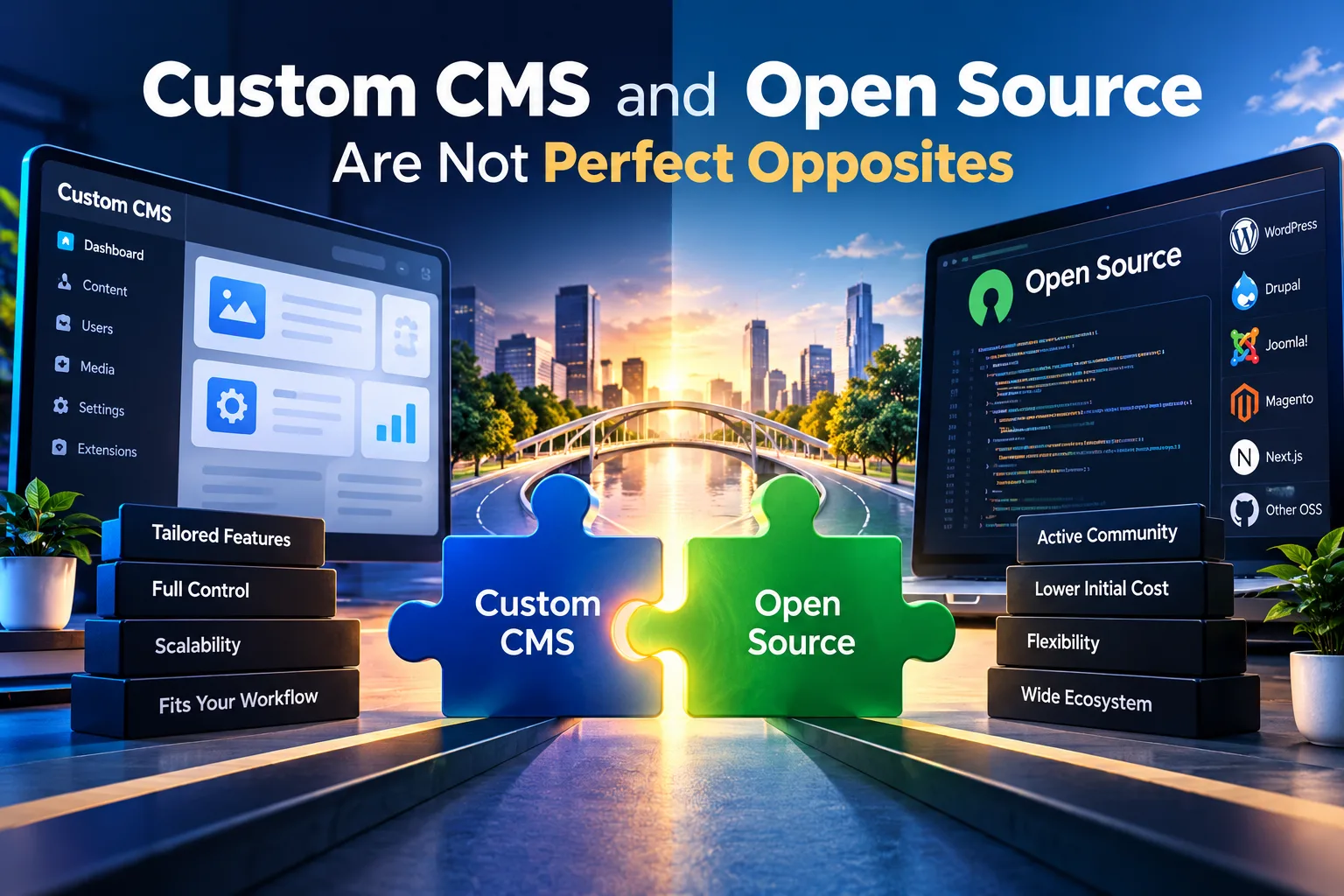
Custom CMS and Open Source Are Not Perfect Opposites

02

Custom CMS and open source are not perfect opposites.

That distinction matters because the terms describe different characteristics of software.

Open source describes how software is licensed, distributed and made available for others to inspect, use or modify under the terms of its licence.

Custom CMS describes a content-management system designed around the specific requirements of a particular organization.

A custom CMS can therefore be built using open-source technologies.

It might use an open-source programming language, framework, database, web server or library while the actual content-management application is designed specifically for one business.

The reverse is also true.

An open-source CMS such as WordPress or Drupal can contain extensive custom development, including custom themes, plugins, modules, integrations, APIs, workflows and content models.

The practical business decision is therefore rarely:

Open source or custom?

A more useful question is:

How much of the system should come from an existing platform, and how much should be designed specifically around the way the business operates?

That changes the comparison.

An open-source CMS typically starts with a general-purpose platform and adapts it to the organization.

A custom CMS typically starts with the organization's requirements and builds the content-management environment around them.

Neither approach automatically produces better software.

The value depends on how well the resulting system fits the business, how reliably it can be maintained and whether the organization gains enough benefit from the complexity it is paying for.

This is also why a business should not choose custom development simply because it sounds more advanced, or choose open source simply because the core software can be downloaded without a licence fee.

The better architecture is the one that solves the required problem with the least unnecessary complexity.

What Is an Open-Source CMS?

03

An open-source CMS provides source code that developers can inspect, use and modify according to its licence.

WordPress and Drupal are well-known examples.

The core software does not require the conventional per-site licence fees associated with many proprietary software products.

That creates a significant advantage.

A business does not need to finance the development of basic CMS functionality from zero.

Features such as users, content editing, media management, pages, publishing and extensions already exist.

An established ecosystem can also provide themes, plugins, modules, documentation, integrations, developers and community support.

For many business websites, that is exactly the right starting point.

A company that needs service pages, articles, enquiries, basic integrations and straightforward editorial management may gain little from commissioning an entirely new CMS.

Our web design service supports both WordPress websites and custom CMS architecture because different business requirements justify different approaches.

What Is a Custom CMS?

04

A custom CMS is designed around the content, workflows, permissions, integrations and operating requirements of a specific organization.

Instead of beginning with the question:

How can we make this CMS do what the business needs?

the development process can begin with:

What does the business actually need the CMS to do?

That difference becomes increasingly important as requirements become more specialized.

A custom CMS might manage articles, products, services, locations, case studies, authors, multilingual content, structured data, workflow approvals, revisions, API integrations, customer information or other business-specific content types.

The administrator interface can expose only the tools users need.

Permissions can reflect the organization's roles.

Publishing can follow the organization's approval process.

Integrations can become first-class parts of the architecture rather than additions attached afterward.

That flexibility is valuable, but it has a price.

Someone must design, develop, test, document, secure and maintain that system.

The Core Software May Be Free. Operating the Website Is Not.

05

This is where the word free can distort the CMS conversation.

Open-source software can legitimately be free to download and use under its licence.

That does not make the finished business platform free.

A production website still needs infrastructure.

It still needs implementation.

It still needs security.

It still needs backups.

It still needs updates.

It may need commercial themes or extensions.

It may need integrations.

It may need developers when extensions conflict.

It may need performance work.

It may need people to maintain the content itself.

There is nothing wrong with this model.

It is simply important to account for the complete operating cost rather than treating the price of the core CMS as the price of the digital system.

The same principle applies to custom development.

Paying a large development fee does not eliminate hosting, monitoring, dependency updates, security work, infrastructure costs or future development.

Every CMS shifts costs somewhere.

A serious comparison should identify where.

Did You Start a Business to Run on Free Software?

06

It is a provocative question, but it needs a careful answer.

There is nothing inherently unprofessional about operating a business on free or open-source software.

Some extremely capable technologies are open source.

The licensing model does not determine whether software is suitable for a serious business or enterprise.

The better business question is:

Did you start the business to organize your operations around the limitations of software simply because the core software was free?

That is different.

If an existing CMS fits the business well, using it can be a very efficient decision.

If the organization repeatedly changes its processes to accommodate plugins, extension limitations or a data structure that no longer reflects how the business operates, the original cost advantage may begin to disappear.

At that point, the company is no longer benefiting from standardization.

It may be paying for compromise.

Custom CMS vs Open-Source CMS at a Glance

07
Decision areaOpen-source CMSCustom CMS
Initial developmentUsually lowerUsually higher
Time to launchOften fasterUsually requires more planning and development
Core CMS functionalityAlready availableMust be selected and developed
Business-specific workflowsAdapted through configuration, extensions or custom codeCan be designed around the workflow
Extension ecosystemOften extensiveFeatures are developed or integrated deliberately
Editorial experienceInfluenced by the CMS modelCan follow the organization's exact content model
IntegrationsPlugins, APIs or custom integrationCan be designed directly into the architecture
MaintenanceCore, extensions, themes and hosting need managementApplication code, dependencies, infrastructure and integrations need management
Security responsibilityShared across CMS ecosystem, extensions, configuration and site managementGreater direct responsibility falls on the development and operations team
Upgrade controlInfluenced by upstream CMS and extension releasesGreater architectural control, with responsibility for maintaining it
Developer availabilityUsually larger ecosystemDepends on stack, documentation and code quality
Vendor dependencyCan depend on plugins, themes, hosting and specialistsCan depend heavily on the original development team if portability is poorly planned
FlexibilityHigh within and beyond platform conventionsPotentially very high
Best fitStandard or moderately customized publishing requirementsSpecialized workflows, content models, integrations or digital products

The comparison does not produce one universal winner.

It exposes the trade-offs.

When an Open-Source CMS Makes Good Business Sense

08

An open-source CMS can be the better decision when the business requirements already resemble problems the platform solves well.

A professional company website is a good example.

If the organization needs pages, articles, forms, basic user permissions, marketing integrations and a reliable publishing experience, developing each capability from zero may add cost without adding meaningful business value.

Open-source ecosystems can also reduce implementation time because developers can reuse mature capabilities.

That matters for startups and organizations with limited initial budgets.

It can also matter for established organizations that simply do not need specialized software.

Choosing an existing CMS in those situations is not taking a shortcut.

It can be sound architecture.

Our website pricing guide reflects this distinction by offering both WordPress and custom CMS options rather than treating custom development as the correct answer for every project.

When a Custom CMS Begins to Make More Sense

09

The balance changes when content management becomes closely connected to how the business operates.

Consider an organization that needs several content types with different workflows.

Editors may need to create information while reviewers approve it.

Different teams may manage different markets.

Structured information may need to feed the website, mobile application and external systems.

Content might have relationships that do not fit naturally into standard pages and posts.

The system may require specialized permissions, audit history, localization, workflow automation, CRM integration or custom reporting.

At that point, the CMS is no longer simply a publishing interface.

It becomes part of the operating system of the business.

Trying to reproduce a highly specific business process through a growing collection of unrelated extensions can eventually cost more in complexity than designing the correct architecture.

That is where custom CMS development becomes easier to justify.

Plugins Are Both an Advantage and a Dependency

10

The extension ecosystem is one of the strongest arguments for an established open-source CMS.

Need a form, ecommerce functionality, multilingual publishing, redirects, memberships, bookings or SEO controls?

The ecosystem may already provide several options.

That can reduce development time dramatically.

But every third-party component also creates a relationship.

Someone else controls its roadmap.

The extension may change its pricing.

A developer may discontinue it.

An update may introduce incompatibility.

Two plugins may solve their own problems correctly while conflicting when installed together.

An extension may also accumulate far more features than the business actually needs.

This does not mean plugins are bad.

It means plugin selection is architecture.

A professional implementation should evaluate dependencies instead of treating an extension marketplace as an unlimited collection of free features.

Custom Development Also Creates Dependency

11

It would be misleading to criticize plugin dependency without discussing custom-development dependency.

A poorly built custom CMS can create much stronger lock-in than an open-source platform.

If only one developer understands the application, the client has a problem.

If the code lacks documentation, the client has a problem.

If common operations require developer intervention, the client has a problem.

If the application uses obscure technology without a clear business reason, the client has a problem.

If deployments, backups and recovery depend on knowledge stored only in one person's memory, the client has a problem.

Custom software should increase business control, not replace plugin dependency with developer dependency.

Good custom architecture therefore needs readable code, documentation, version control, defined infrastructure, backup procedures, access ownership and a realistic maintenance path.

Security Is Not Determined by the CMS Label

12

Open source is not automatically insecure.

Custom CMS is not automatically secure because fewer people know its code.

Both systems can be secure.

Both systems can be compromised.

An established open-source CMS benefits from a large community reviewing core software and publishing security fixes.

At the same time, the wider ecosystem creates additional components that need to be maintained.

A WordPress installation with unnecessary plugins, abandoned themes, weak passwords and poor update practices creates avoidable risk.

A custom CMS with weak authentication, insecure APIs, poor access control or unpatched dependencies creates different risks.

The question should therefore be:

Who owns security maintenance, and how is that responsibility carried out?

Our website security services approach security as an operational responsibility rather than assuming one technology automatically solves it.

Maintenance Is Different, Not Optional

13

Every production system needs maintenance.

The maintenance model simply changes.

For an open-source CMS, work can involve core updates, theme updates, plugin updates, compatibility testing, backup verification, security monitoring and content maintenance.

For a custom CMS, maintenance can involve application dependencies, infrastructure, databases, APIs, deployment processes, authentication systems, logging, integrations and performance.

Neither system should be launched and forgotten.

Our website management and maintenance service separates WordPress management from custom-application management because the two architectures create different operational responsibilities.

That distinction should form part of the CMS decision before development begins.

Compare Total Cost of Ownership, Not Only Build Price

14

The cheapest CMS on launch day may not remain the cheapest CMS.

The most expensive CMS on launch day may never recover its additional investment.

Both outcomes are possible.

A useful comparison considers the full period the business expects to operate the system.

That includes initial development, hosting, subscriptions, premium extensions, maintenance, security, upgrades, internal staff time, support, integration work, redesigns and future feature development.

It should also consider less visible costs.

How much time does the team lose working around the CMS?

How expensive is it to introduce a new content type?

How difficult is it to change the editorial process?

How many extensions must be coordinated?

How difficult would migration become in three years?

How much developer intervention does routine publishing require?

These questions often reveal more than the original quotation.

Content Governance Can Be More Important Than the Editor

15

Businesses frequently choose a CMS by looking at the content editor.

The editor matters, but mature organizations need more.

They need governance.

Who can create content?

Who can edit it?

Who can publish it?

Who can change SEO metadata?

Who can update legal information?

Who can manage redirects?

Can an editor restore a previous revision?

Can publication require approval?

Can teams work independently without receiving unnecessary administrator privileges?

Can the organization see who changed something?

These questions can matter more than whether the editor supports drag and drop.

A custom CMS can model these requirements directly.

An established open-source CMS may already provide many of them or support them through extensions.

Again, the correct choice depends on the actual governance requirement.

SEO and GEO Should Influence the CMS Decision

16

A CMS does not rank a website simply because of its brand name.

The platform needs to support the information architecture and technical controls required by the website.

That can include page titles, descriptions, canonical URLs, redirects, heading structure, structured data, internal links, sitemaps, indexation controls, localization, media metadata and content relationships.

For GEO and AI-assisted discovery, the CMS should also make it practical to maintain clear entities, useful answer-oriented content, evidence, structured relationships and accurate information.

A CMS that makes these operations difficult creates ongoing friction for marketing and editorial teams.

A custom system can expose exactly the controls the organization needs.

An open-source system may already have mature tools for those tasks.

The architecture matters more than the label.

Performance Depends on What You Build

17

Open source is not automatically slow.

Custom is not automatically fast.

A lightweight WordPress implementation can perform extremely well.

A badly engineered custom application can perform poorly.

Performance depends on architecture, frontend implementation, media, JavaScript, database behaviour, infrastructure, caching, third-party scripts and the discipline applied during development.

Custom development can provide greater control because unnecessary functionality does not have to be included.

Open source can provide efficiency because mature performance tooling already exists.

Neither advantage removes the need for competent implementation.

Integrations Are Where CMS Differences Become More Visible

18

A CMS rarely operates alone for long.

Businesses may eventually connect CRM, email marketing, analytics, payment systems, booking, ERP, mobile applications, customer portals, search tools, automation or AI services.

Standard integrations often favour established ecosystems because connectors already exist.

Specialized integrations can favour custom architecture because the data model and application layer can be designed around the integration from the beginning.

This is why CMS selection should include a view of the next few years, not only today's website brief.

The business does not need to predict every future feature.

It should identify the integrations that are reasonably likely to become important.

A Headless CMS Is Another Architectural Choice

19

Headless CMS architecture is sometimes presented as if it automatically solves the open-source-versus-custom question.

It does not.

Headless describes how content management is separated from the presentation layer.

The CMS manages content and makes it available through APIs.

A website, application or other interface consumes that content separately.

The headless CMS itself may be open source, commercial SaaS or custom built.

Headless architecture can make sense when an organization needs content across several channels, wants strong frontend independence or operates multiple digital products.

It can also introduce more infrastructure and development complexity than a straightforward business website needs.

Architecture should follow requirements.

Fashion should not determine the stack.

Ownership Means More Than Having the Password

20

Businesses often ask:

Will we own the website?

That question should go deeper.

The organization should understand who controls the domain, hosting, source repository, database, backups, administrator access, third-party licences, media, analytics accounts and deployment environment.

For custom systems, source-code ownership and contractual rights should also be clear.

For open-source systems, businesses should understand which parts belong to the open-source ecosystem and which parts were specifically created for them.

Operational ownership also matters.

A business may technically own a system that nobody internally can operate.

Good technology should increase useful control rather than merely transfer credentials.

Our Experience Has Made Us Less Interested in Technology Arguments

21

After working with different CMS approaches, the most useful lesson is not that custom CMS is always better.

It is that businesses should stop choosing technology because a developer has a favourite stack.

WordPress can be the correct architecture.

A custom CMS can be the correct architecture.

A headless CMS can be the correct architecture.

Sometimes a website does not need a CMS at all.

The job is to identify the smallest reliable architecture that supports today's business requirements without creating an obvious barrier to tomorrow's growth.

That principle also applies when comparing MERN and WordPress.

The point is not to make one technology defeat another.

The point is to identify where a publishing platform is enough and where the business is actually asking for a software system.

How Trophy Developers Decides Between Open Source and Custom CMS

22

At Trophy Developers, the CMS decision comes after understanding the business.

We examine the amount and type of content, publishing frequency, editorial roles, workflows, integrations, localization, SEO and GEO requirements, security responsibilities, expected traffic, operational risk, budget and future development plans.

If an established open-source CMS can meet those requirements cleanly, building an entirely new CMS may be unnecessary.

If the project requires specialized workflows, custom data relationships, advanced integrations, unusual permissions or deeper architectural control, custom development may make better long-term sense.

If the requirement falls somewhere between those positions, a hybrid or headless architecture may provide the appropriate balance.

Our portfolio includes both WordPress projects and custom application work because client requirements differ.

That is the evidence that matters.

So, Which Is Better for Your Business?

23

Neither.

Not without understanding the business first.

Choose an open-source CMS when its existing capabilities align well with the website, the ecosystem reduces useful development effort and the expected customizations remain manageable.

Choose a custom CMS when content management has become sufficiently specific to the organization that adapting a general-purpose platform creates more complexity than designing the correct system.

Do not choose custom simply because it sounds more premium.

Custom development that solves no meaningful business problem is just expensive software.

At the same time, do not choose open source simply because the core product can be downloaded without a licence fee.

The software licence is only one line in the cost of operating a digital platform.

The better question is:

What does your business need to control, what can it sensibly standardize, which dependencies is it willing to accept and what will the system cost to operate over its useful life?

Answer that well, and the CMS choice usually becomes much clearer.

Free Software Is Not the Opposite of Business Software

24

A business does not prove its seriousness by paying for every line of code.

Nor does it demonstrate financial discipline by choosing software simply because the initial licence costs nothing.

The objective is business fit.

Open-source software can provide enormous value by allowing companies to build on mature technology instead of paying to recreate solved problems.

Custom software can provide enormous value when the business needs capabilities, workflows or control that general-purpose products cannot provide cleanly.

Both require investment.

Both require maintenance.

Both require competent implementation.

Both can become expensive when the architecture does not fit the business.

The strongest CMS decision is therefore not the one that wins the argument between open source and custom development.

It is the one that gives the organization the right platform to publish, operate, integrate, measure and grow without paying repeatedly for the wrong kind of complexity.

Posted by Trophy Developers
Custom CMSOpen Source CMSContent Management System

Next step

Find the digital gaps costing your business customers, time, or revenue.

Start with a Digital Growth Audit. We review visibility, conversion, operations, payments, security, and measurement before recommending the right system.