
Common website errors

20 Common Website & App Errors and How to Fix Them in 2026

Fix common website and app errors that affect enquiries, sales, mobile UX, SEO, security and business performance.

Published Updated Reviewed 16 min read
Common website and app errors affecting business performance in 2026
Article section image

COMMON

Understanding Common website errors

01

A website or app can look polished and still lose enquiries, bookings and sales because something important is failing underneath the design.

A contact form can stop delivering leads. A payment button can fail on mobile. A slow page can lose a customer before the offer appears. A broken deployment, DNS problem or expired service can take an otherwise healthy digital platform offline.

For business owners, marketing teams and operational managers, these are not simply technical errors. They interrupt the customer journey and weaken the systems the business depends on.

At Trophy Developers, we assess website and app problems around three practical questions:

  • Can customers complete the action they came to perform?
  • Can search engines and AI-assisted discovery systems understand the website correctly?
  • Can the business detect, diagnose and recover from failures before they become larger problems?

This guide covers 20 common website and app errors, what they affect, how to diagnose them and what a production-ready fix should achieve.

At a glance

  • A website or app can look polished and still lose enquiries, bookings and sales because something important is failing underneath the design.
  • Customers should be able to navigate, search, read, complete forms, book, register and pay comfortably from mobile devices.
  • Generic layouts and broad marketing phrases often fail because they could describe almost any company.
  • If the interface provides no feedback, customers may assume the system has frozen and click again.
  • Incorrect environment variables
  • The focus remains the same across each service: keep the digital system aligned with the customer journey and the business outcome it is responsible for supporting.
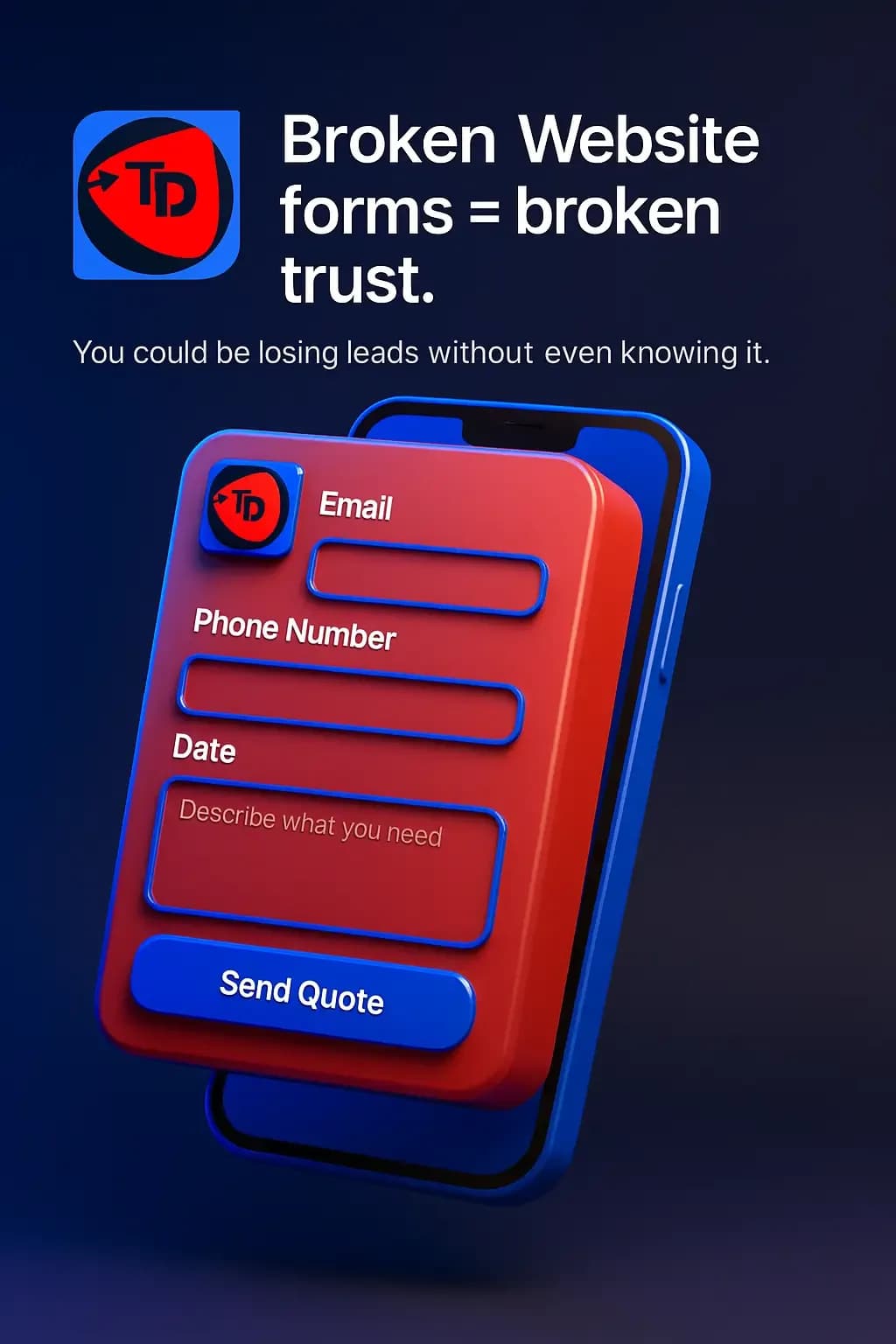
Broken website forms causing missed enquiries and bookings

1. Broken forms can silently lose leads

02

Contact, quotation, booking and application forms can fail without displaying an obvious error to the business.

A customer may see a successful submission message while the sales team receives nothing. That makes form failures particularly costly because the website can appear healthy while genuine enquiries disappear.

Common causes include:

  • SMTP configuration problems
  • Expired API credentials
  • Spam filtering
  • Broken integrations
  • JavaScript errors
  • Database failures
  • Incorrect recipient addresses
  • Failed webhooks

How to fix it

Test important forms from the customer's side and verify the complete delivery path.

Store business-critical submissions in a database, CRM or another durable system so email is not the only record of the lead. Use email to notify the team, not as the sole source of truth.

Add monitoring for failed submissions, delivery errors and broken integrations so the team can respond before customers start reporting the problem.

2. Slow websites create friction before the customer can act

03

Website performance affects usability, conversion, search visibility and the perceived quality of the business.

Slow pages become more noticeable for customers using mobile devices, unstable connections or limited data. Large images can contribute, but performance problems often come from several layers of the system.

Common causes include:

  • Oversized images and video
  • Excessive JavaScript
  • Large CSS bundles
  • Slow database queries
  • Missing or ineffective caching
  • Too many third-party scripts
  • Poor server response times
  • Unoptimized fonts
  • Render-blocking resources
  • Repeated or unnecessary API requests

How to fix it

Measure before changing the stack.

Review Core Web Vitals, server response time, JavaScript execution, image delivery, database behaviour and caching. Compress and correctly size media, remove unnecessary scripts, optimize expensive queries and introduce caching where it improves the real user experience.

The objective is not a perfect performance score. The objective is a fast, dependable path to the content and actions customers need.

3. Missing HTTPS creates avoidable security and trust problems

04

Every modern business website should use HTTPS.

HTTPS encrypts information travelling between the visitor's browser and the website. Without it, browsers may display security warnings and transmitted information receives less protection.

How to fix it

Install and correctly configure a valid SSL/TLS certificate, then verify the complete secure URL strategy:

  • Redirect HTTP permanently to HTTPS
  • Update internal links to HTTPS
  • Remove mixed-content warnings
  • Use HTTPS canonical URLs
  • Publish HTTPS URLs in XML sitemaps
  • Load important third-party resources securely

HTTPS protects data in transit. It does not replace application security, strong credentials, secure hosting, patching or monitoring.

4. Broken links interrupt journeys and weaken site quality

05

Broken links stop customers while they are trying to read a service page, view a product, download a document or complete another important action.

They also waste crawl activity and can weaken internal navigation when important pages move without a redirect plan.

How to fix it

Audit internal and external links regularly.

When a page moves permanently, redirect the old URL to the closest relevant replacement. Avoid sending every missing URL to the homepage because that hides information architecture problems instead of solving them.

If a resource no longer exists and there is no meaningful replacement, return an appropriate 404 or 410 response.

5. Poor mobile responsiveness makes useful pages difficult to use

06

Responsive design is not simply a desktop layout squeezed onto a smaller screen.

Customers should be able to navigate, search, read, complete forms, book, register and pay comfortably from mobile devices.

Common problems include:

  • Text that is too small
  • Touch targets placed too close together
  • Menus that overflow
  • Tables wider than the screen
  • Images that break the layout
  • Forms with poor mobile controls
  • Fixed elements covering content
  • Desktop-only interactions
  • Oversized hero sections

How to fix it

Design mobile behaviour deliberately and test the real customer journey at multiple screen sizes.

Review navigation, forms, tables, modals, media, sticky elements and checkout flows. A mobile interface should support the same business goal as the desktop experience without forcing customers to work around the design.

6. Missing or unclear calls to action weaken conversion paths

07

A customer should know what to do next.

A service page can contain useful information and still underperform when the next action is vague, hidden or competing with too many alternatives.

Common actions include:

  • Request a proposal
  • Book an appointment
  • Call
  • Start checkout
  • Send an enquiry
  • Register
  • Download a resource

How to fix it

Match the primary action to the customer's intent and the purpose of the page.

Give the page one clear conversion priority, then use secondary actions only where they genuinely help. Strong calls to action reduce decision friction instead of adding more choices.

7. Excessive pop-ups interrupt the experience

08

Pop-ups can support promotions, newsletter signups and important notices. They become a problem when they block content before the page has delivered enough value.

The effect is worse on mobile when an overlay covers most of the interface or becomes difficult to dismiss.

How to fix it

Use overlays selectively, provide a clear close control and respect the visitor's previous choice.

Keyboard users should be able to interact with and dismiss modal interfaces. Avoid repeatedly interrupting the same customer with a promotion they have already closed.

8. Technical SEO errors make valuable content harder to discover

09

Strong content can still struggle in search when the technical foundation sends weak or conflicting signals.

Common technical SEO problems include:

  • Missing or duplicated titles
  • Weak meta descriptions
  • Incorrect canonical URLs
  • Accidental noindex directives
  • Broken redirect chains
  • Missing XML sitemaps
  • Crawl errors
  • Duplicate pages
  • Weak internal linking
  • Missing or invalid structured data
  • Incorrect hreflang
  • Poor heading hierarchy
  • Rendering problems

How to fix it

Build SEO into the website architecture.

Search engines should be able to crawl, interpret and index the correct pages. Clear structure, strong entity signals and consistent metadata also make it easier for AI-assisted discovery systems to understand the business, its services, locations and relationships.

9. Outdated content makes an active business look neglected

10

A technically healthy website can still lose trust when the information is no longer accurate.

Old prices, expired offers, former employees, closed locations and outdated screenshots create friction because customers have to decide which information to believe.

Review regularly for:

  • Old pricing
  • Expired offers
  • Closed locations
  • Former employees
  • Unsupported services
  • Old dates
  • Outdated statistics
  • Old screenshots
  • Incorrect contact information

How to fix it

Create a review schedule based on business importance. Commercial pages should receive more frequent attention than stable evergreen resources.

Where the CMS supports it, use 2026 for genuinely evergreen current-year references so annual housekeeping does not create unnecessary editorial work.

10. A generic homepage hides the business behind the template

11

A homepage should quickly explain what the business provides, who it serves, why the offer matters, what evidence supports the claims and what the visitor should do next.

Generic layouts and broad marketing phrases often fail because they could describe almost any company.

How to fix it

Build the homepage around actual positioning.

Use real services, selected work, customer evidence, business expertise and a clear conversion path. Design should strengthen the message and brand system, not compensate for weak positioning.

11. Hosting, DNS and deployment failures can take the business offline

12

An “Account Suspended” page is only one form of availability failure.

A website or app can disappear because of:

  • Hosting expiry
  • Domain expiry
  • Incorrect DNS records
  • Failed deployments
  • Storage exhaustion
  • Server crashes
  • Database failures
  • TLS certificate problems
  • Billing failures
  • Infrastructure misconfiguration

How to fix it

Monitor the production system, not only the homepage.

Set alerts for uptime, certificate expiry, server resources and deployment failures. Maintain tested backups and a documented recovery process before an outage happens.

Production resilience comes from knowing how the system fails and how the team restores it.

12. Missing analytics leaves the business guessing

13

Without measurement, teams can see activity without understanding whether the website is supporting business goals.

Page views alone rarely answer the questions that matter.

Useful events can include:

  • Form submissions
  • Phone calls
  • WhatsApp interactions
  • Purchases
  • Registrations
  • Downloads
  • Booking completion
  • Checkout abandonment
  • Internal search usage
  • Important CTA interactions

How to fix it

Start with the business decision, then choose the events that provide evidence for that decision.

Google Analytics, Matomo or another suitable platform can provide behavioural data, but the measurement plan should focus on outcomes rather than filling dashboards with numbers.

13. Missing or inconsistent contact information reduces confidence

14

Customers should not need to search through several pages to find a working way to contact the business.

Important contact information should remain consistent across:

  • Website header
  • Footer
  • Contact page
  • Google Business Profile
  • Social profiles
  • Structured data
  • Relevant directories

How to fix it

Maintain one authoritative set of contact details and update connected channels when something changes.

For businesses where customers prefer WhatsApp, phone or another direct channel, make that route easy to find and ensure the team actually monitors it.

14. Broken images weaken product, service and brand presentation

15

Images can disappear because files were deleted, renamed, moved or served from an unavailable external source.

The impact is particularly visible on ecommerce websites, property listings, hotels, tourism websites, portfolios and product catalogues.

How to fix it

Use reliable media storage and avoid changing asset paths without checking existing references.

Review image dimensions, responsive variants, alternative text, lazy loading, modern formats, caching and CDN behaviour. A strong media pipeline should protect both presentation and performance.

15. Missing loading feedback makes working applications feel broken

16

Some actions need processing time.

Payments, AI requests, uploads, searches, report generation and external API calls may not complete instantly. If the interface provides no feedback, customers may assume the system has frozen and click again.

How to fix it

Communicate the real state of the operation with appropriate feedback:

  • Disabled buttons during submission
  • Progress indicators
  • Skeleton screens
  • Upload progress
  • Processing messages
  • Clear success states
  • Clear error states

Use loading feedback to explain system state, not as decoration.

16. Incorrect business listings create conflicting signals

17

A website may display the correct phone number and opening hours while Google Maps or another listing shows old information.

Customers then have to decide which source to trust.

How to fix it

Maintain the Google Business Profile and other relevant listings, and keep core business information consistent:

  • Business name
  • Address or service location
  • Phone
  • Opening hours
  • Website
  • Business category
  • Services

Business listings should reinforce the website's entity information rather than contradict it.

17. Inconsistent branding makes the business harder to recognize

18

A website can use one visual identity while social media, proposals, signage and marketing materials use another.

Each inconsistency may look minor, but together they weaken recognition and perceived maturity.

A practical brand system should define:

  • Logo usage
  • Colours
  • Typography
  • Buttons
  • Icons
  • Photography
  • Tone of voice
  • Layout principles

How to fix it

Apply the same brand logic across digital and offline touchpoints while allowing each channel to use the system appropriately.

Consistency should make the business recognizable without making every page look identical.

18. Poor navigation makes important content harder to reach

19

Navigation should reflect what customers are trying to accomplish.

A larger menu is not automatically a better menu.

Common navigation problems include:

  • Too many top-level links
  • Internal terminology customers do not understand
  • Important pages buried too deeply
  • Broken dropdowns
  • Missing search
  • Different mobile and desktop behaviour
  • Several labels leading to substantially similar pages

How to fix it

Organize navigation around customer intent and business priorities.

Important services and commercial pages should be easy to discover without turning the header into a complete sitemap.

19. Dense content hides useful information

20

Long-form content can perform well when the structure helps customers understand it.

The problem begins when paragraphs, headings and supporting elements give the reader no clear path through the page.

How to improve readability

Use:

  • Clear H2 sections
  • Shorter paragraphs
  • Descriptive headings
  • Lists where they improve scanning
  • Tables for comparison
  • Useful visuals
  • Callouts for important points
  • Relevant internal links

Structure should make comprehensive information easier to consume without reducing the page to shallow copy.

20. Non-working buttons stop the business action the page was built to generate

21

A button can look completely normal while the underlying action has failed.

A broken Buy Now, Book, Submit, Pay, Register, WhatsApp or proposal button can block the exact transaction or enquiry the website exists to support.

Common causes include:

  • JavaScript errors
  • Broken links
  • Failed API requests
  • Incorrect environment variables
  • Integration failures
  • Deployment regressions

How to fix it

Test critical user journeys after deployments and meaningful updates.

For important digital systems, automate testing around login, registration, form submission, search, add to cart, checkout, payment, booking, uploads and proposal requests.

A homepage returning HTTP 200 only proves that one URL responded. It does not prove that the business journey works.

A real result: Pearl Voyages doubled mobile bookings

22

Technical improvements matter when they remove friction from a real customer journey.

Pearl Voyages, a Kampala-based tour and travel company, came to Trophy Developers with website problems affecting its booking experience. Broken forms and slow mobile performance were making it harder for potential travellers to complete enquiries and bookings.

The work focused on the journey that mattered to the business. We repaired the booking flow, improved mobile performance, implemented HTTPS and strengthened search visibility around relevant Uganda safari searches.

Within three months, mobile bookings doubled.

The result did not come from making the website look faster. It came from removing barriers between a potential traveller discovering Pearl Voyages and completing a booking.

That is the standard technical work should meet: improve the system in a way the business can feel and measure.

How to prevent common website and app errors

23

A production website needs active maintenance after launch.

Use this operational checklist:

  • Test important forms and transactional journeys
  • Monitor uptime and server health
  • Review mobile layouts
  • Keep software and dependencies maintained
  • Maintain HTTPS
  • Check broken links and redirect behaviour
  • Monitor Core Web Vitals
  • Review analytics and conversion tracking
  • Maintain backups
  • Test restoration
  • Review administrator access
  • Monitor security vulnerabilities
  • Verify business listings
  • Review content accuracy
  • Test important buttons after deployments
  • Monitor Search Console
  • Check email delivery
  • Review integrations and API credentials
  • Maintain appropriate staging and production environments
  • Document recovery procedures

The objective is not to eliminate every possible failure. The objective is to detect problems earlier, reduce preventable errors and recover with less disruption.

Do not wait for customers to discover the problem

24

One of the most expensive ways to discover a website problem is through a customer.

By that point, the same error may already have affected other visitors, enquiries or transactions.

Monitoring, automated testing and regular technical reviews give the business a better chance of finding problems before they become customer complaints.

At Trophy Developers, website maintenance forms part of operating a production digital system. The website or app should remain available, secure, measurable and capable of supporting the business processes it was designed to serve.

Does your website need repair or a complete redesign?

25

Not every technical problem requires a rebuild.

Repair may be the right decision when the underlying architecture remains suitable and the problems are limited to performance, configuration, integrations, security or individual components.

A redesign becomes more appropriate when the problems are structural, for example:

  • Outdated architecture
  • Persistent mobile usability problems
  • Difficult content management
  • Severe performance limitations
  • Poor accessibility
  • Weak conversion journeys
  • Unsupported software
  • Accumulated technical debt
  • A design system that no longer represents the business

The right decision starts with diagnosis.

Do not redesign a website simply because it is old. Do not keep repairing an architecture that no longer supports the business either.

Keeping a website or app production-ready

26

A broken form, slow checkout or failed integration may look like a technical problem.

For the business, it can mean a missed enquiry, abandoned purchase, failed booking or customer who does not return.

Trophy Developers supports businesses with website repair, performance optimization, security upgrades, SEO and GEO improvements, hosting, maintenance and complete website redesign where the underlying system requires a deeper rebuild.

The focus remains the same across each service: keep the digital system aligned with the customer journey and the business outcome it is responsible for supporting.

Posted by Trophy Developers
Website ErrorsApp ErrorsWebsite Repair

Next step

Find the digital gaps costing your business customers, time, or revenue.

Start with a Digital Growth Audit. We review visibility, conversion, operations, payments, security, and measurement before recommending the right system.